
Master Vim Motions and Boost Your Speed
Learn Vim through interactive exercises. Practice the essential keyboard shortcuts for Neovim. Code at the speed of light in Cursor or VSCode with Vim extensions.
Track Your Progress, Compete Globally
See your improvement in real-time and challenge yourself against the best
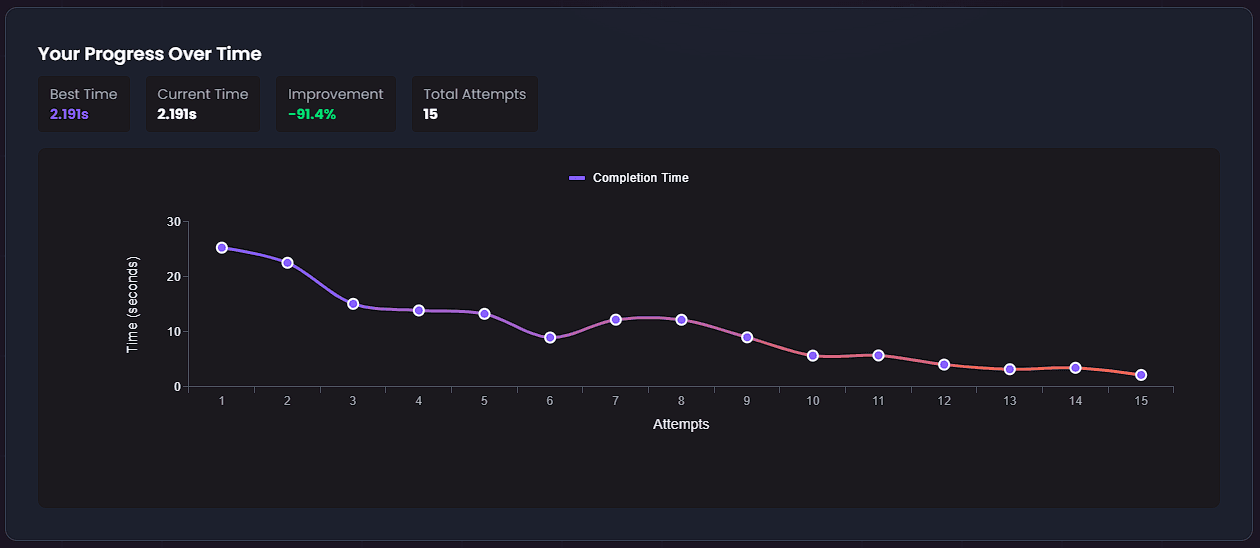
Watch Your Skills Improve Over Time
Detailed analytics and visual progress charts show exactly how you're getting faster. Track your best times, see improvement percentages, and identify which exercises need more practice. Every attempt builds toward mastery.
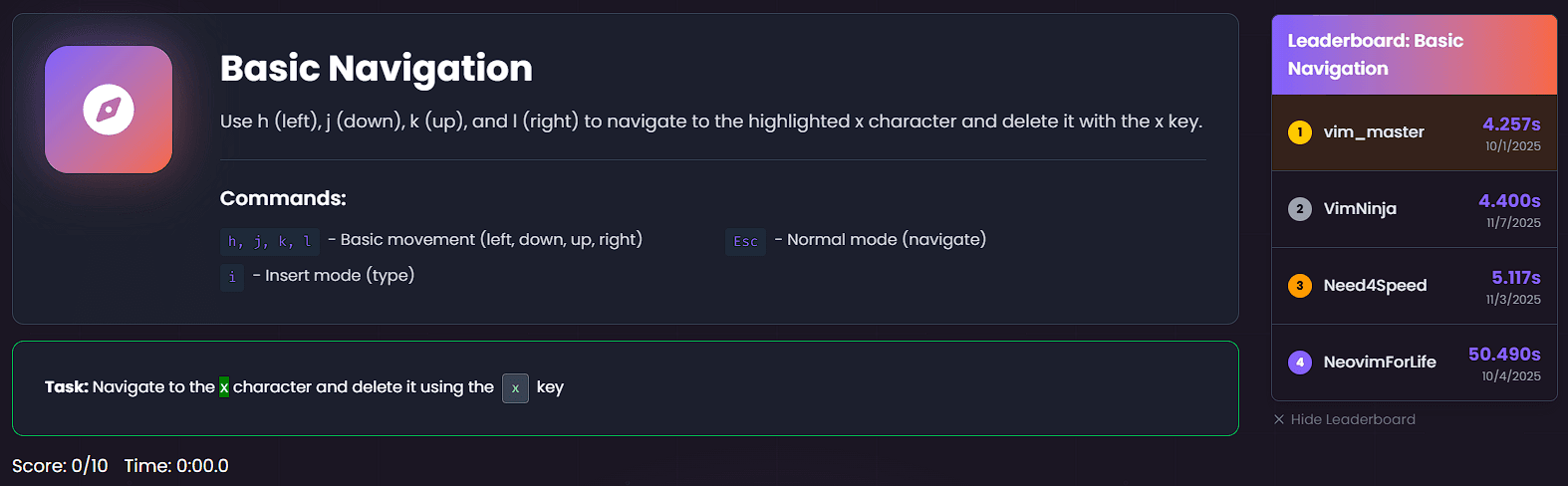
Compete Against the World's Best
Join thousands of developers racing to the top of global leaderboards. See how you stack up against the fastest Vim users worldwide. Every exercise becomes a challenge—can you beat your personal best and climb the ranks?
What you will learn
Master Vim motions through our comprehensive collection of interactive exercises.
Basic Navigation
Master the hjkl keys for movement
h, j, k, l
Navigating Words
Move between words efficiently
w, e, b
Insert Mode
Enter and exit insert mode
i, a, esc
Line Ends
Navigate to line beginnings and ends
I, A, esc
New Lines
Create new lines above and below
o, O
Basic Edits
Substitute, delete, and replace characters
s, x, r
Line Navigation
Move to specific positions in a line
0, _, $
Find Character
Find and jump to specific characters
f, F, ;
Relative Line Numbers
Jump using relative line numbers
3j, 5k
Jump to Line
Navigate to specific lines using G, gg, and :number
G, gg, :number
Delete
Delete text efficiently
dd, D
Delete Word
Delete words efficiently
daw, diw, dw
Change Word
Change words efficiently
caw, ciw, cw
Yank and Put
Copy and paste text
yy, p, P
Visual Mode
Select and manipulate text
v, V, ctrl+v
Indent
Indent and unindent lines using visual mode
V, >, <
Search
Find text patterns
/, n, N
Macros
Record and replay commands
q, @
Substitute
Find and replace text
:s/, :%s/
Full Workout
Combine everything you've learned!
All of them
Try an Exercise!
Sign up today for more free exercises.
Learn Vim Through Practice, Not Theory
Forget boring documentation. Our interactive Vim exercises give you hands-on practice with immediate feedback. Each drill is designed to build muscle memory through repetition, the proven way to master Vim motions.
Universal Compatibility
Whether you use Vim, Neovim, or VS Code with Vim keybindings, our exercises work everywhere. Practice motions that transfer across all editors.
Build Neural Pathways
Consistent practice builds muscle memory. Our structured progression takes you from basic hjkl to advanced macros with expert-designed exercises.
Track Your Mastery
Get immediate visual feedback on every keystroke. Track progress with scores and completion times. See your improvement in real-time.
Learning Resources
Deep-dive tutorials and proven strategies to accelerate your Vim journey
Frequently Asked Questions
Everything you need to know to start your Vim mastery journey
How do I practice Vim motions online?
VimGym offers interactive Vim exercises that let you practice motions in your browser. Start with basic navigation (hjkl), then progress to word motions, editing commands, and advanced techniques. Each exercise provides immediate feedback and tracks your progress.
What are the best Vim exercises for beginners?
Beginners should start with Basic Navigation (hjkl motions), then move to Insert Mode (i, a, o, O), followed by Word Navigation (w, e, b). These foundational exercises build muscle memory for the most commonly used Vim commands.
Is VimGym free to use?
Yes, VimGym offers free exercises for learning essential Vim motions. Premium features unlock additional advanced exercises and detailed progress tracking.
Still have questions? We're here to help.
Explore Our Blog